Product Catalog
The product catalog allows you to define frequently used goods and services that can be quickly added to invoices.
The data below will be used to populate product and service line items on the issued invoice. This data will be an invaluable asset in speeding up your invoicing process — instead of typing everything manually, simply select a product from the list.
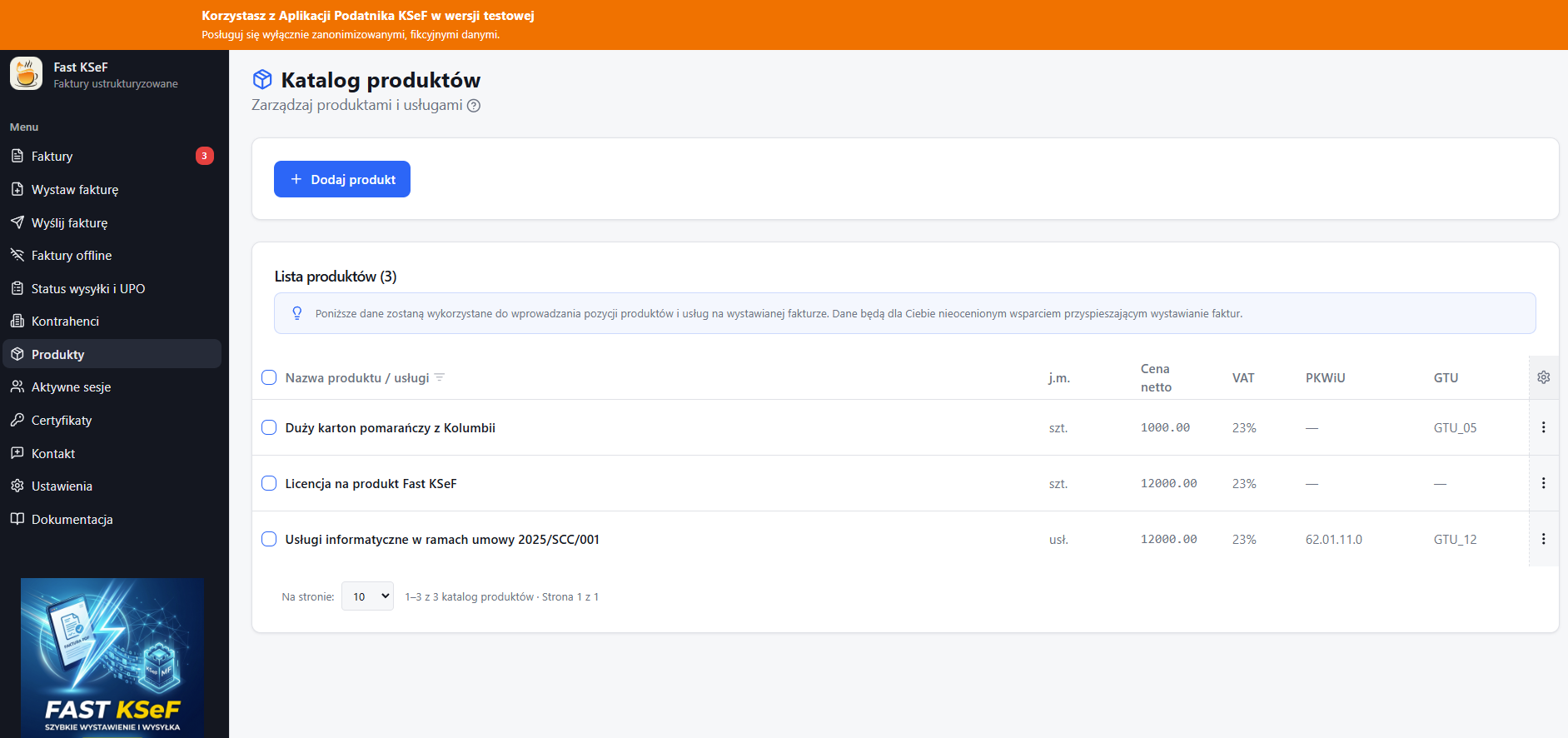
Adding a Product
- Go to the Products section in the side menu.
- Click the Add Product (+) button.
- Fill in the data:
| Field | Required | Description |
|---|---|---|
| Name | ✅ | Name of the goods or service |
| Net Price | ❌ | Default unit price |
| VAT Rate | ✅ | Default VAT rate |
| Unit | ❌ | Unit of measure (pcs, kg, m², etc.) |
| PKWiU | ❌ | Product and services classification code |
| GTU | ❌ | Goods and services group code |
- Click Save.
Editing a Product
- Find the product on the list.
- Click the context menu (⋮) → Edit.
- Modify the data and click Save.
Deleting a Product
Click the context menu (⋮) → Delete and confirm.
You can also select multiple products (checkbox) and use the Delete selected button for bulk deletion.
Using in an Invoice
In the invoice creator, at the Line Items step, you can select a product from the catalog. The data (name, price, VAT rate, GTU, PKWiU, unit) will be automatically populated. You can edit them on the invoice without affecting the original catalog data.
Filtering
Use the search field above the list to quickly find a product by name.
Filtering works on the currently loaded results page. If you cannot see the product you are looking for, check other pages or change the page size.
Environments
Products are assigned to the active KSeF environment. Switching the environment will display a separate product catalog.