Invoice Synchronization
Metadata is "data about data" — structured information that describes, locates, or facilitates the management of other digital resources. It is used to identify, search for, and understand files.
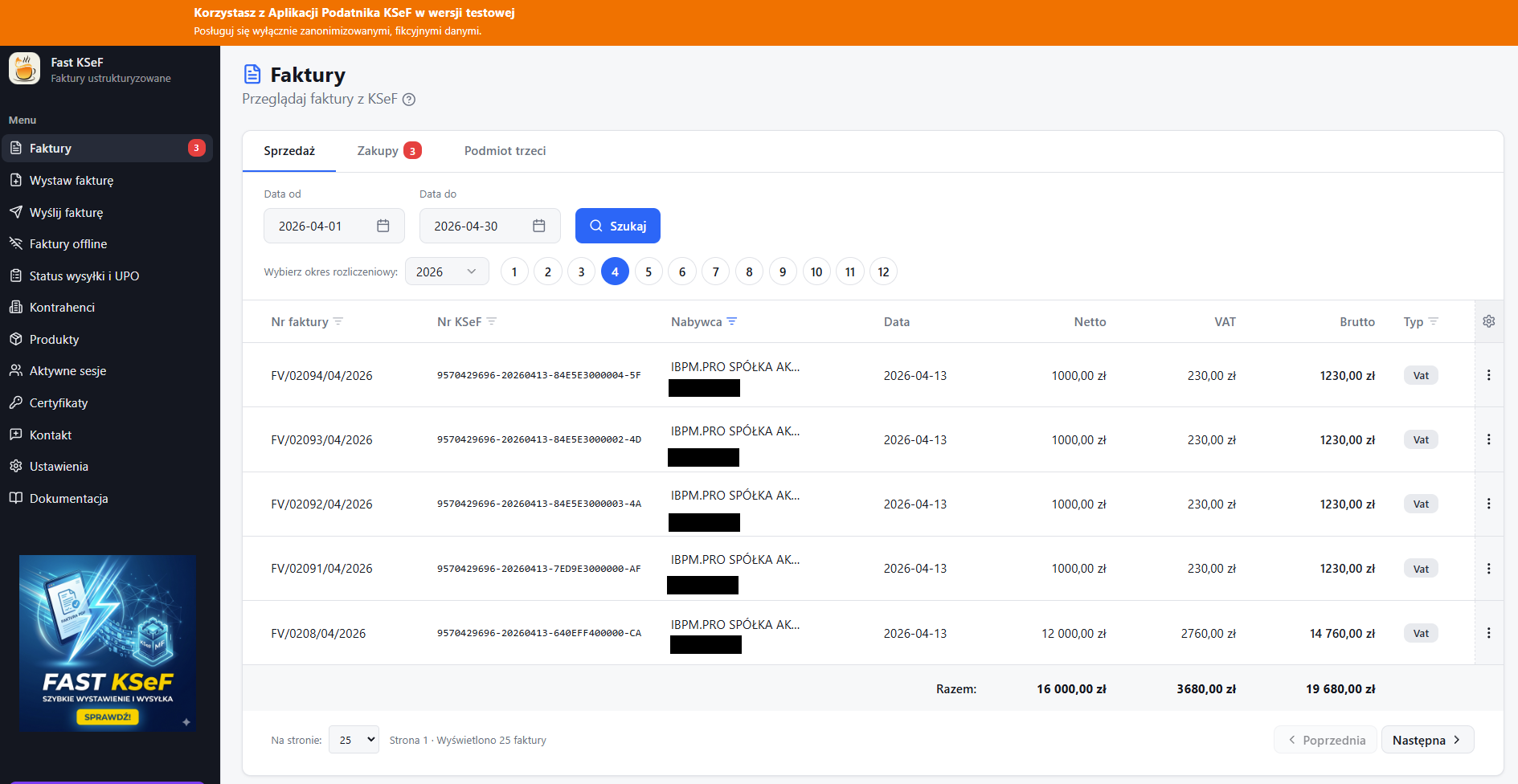
Synchronization allows you to fetch invoice metadata from the National e-Invoice System (KSeF) and display it entirely within the application.
How to Start Synchronization
Synchronization runs automatically while browsing invoices.
- Go to the Invoices section in the side menu.
- Select a date range (month/year or from–to dates).
- Click the Search 🔍 button.
Synchronization Phases
While fetching invoices, the application displays progress in three phases:
- Searching — looking for invoices in KSeF for the specified date range.
- Downloading — fetching the content (XML) of the discovered invoices.
- Processing — parsing the XML and saving the data.
The screen is locked during synchronization — you cannot interact with the list until the operation is complete. This prevents accidental clicks on incomplete data.
Background Synchronization
The application can automatically sync invoices in the background and track the number of unread invoices. A notification icon in the side menu informs you about new invoices.
Local Storage
The metadata of downloaded invoices is saved in the database, which:
- Makes the system run faster.
- Allows you to link invoices (e.g., linking advance invoices with final ones, or corrective invoices with original ones).
- Makes searching and filtering instant.