What Are KSeF Certificates
A certificate is a digital key that enables your company's authorization in the National e-Invoice System (KSeF). Without a certificate, you cannot send or receive invoices from KSeF.
Certificate Types
| Type | Environment | Source | Use Case |
|---|---|---|---|
| Test Authorization | Test | Generated in the app | Authentication |
| Demo Authorization | Demo | Issued by KSeF / Qualified Seal | Authentication |
| Production Authorization | Production | Issued by KSeF / Qualified Seal | Authentication |
| Test Signing | Test | Issued by KSeF | Offline invoice signing |
| Demo Signing | Demo | Issued by KSeF | Offline invoice signing |
| Production Signing | Production | Issued by KSeF | Offline invoice signing |
Below is an official video explaining how to download the appropriate certificates from the KSeF system. (The video is in Polish but includes English subtitles — you can enable them in the YouTube player settings).
Certificate Types by Usage
| Type | Description |
|---|---|
Authorization (authorization) | Used to establish a session with KSeF (logging in, online submission, synchronization) |
Signing (signing) | Used for digital signing of invoices in offline (emergency) mode |
info
The same certificate can be used for both authorization and signing — simply add it twice with different types selected. Details: Signing Certificate.
How Authorization Works
- The application uses your certificate to sign an authorization request.
- KSeF verifies the signature and returns a session token.
- The token is used for all operations (sending, fetching invoices).
- The token expires after a set period — the application refreshes it automatically.
Certificate Storage
Certificates are securely stored in the application database. The private key is encrypted and accessible only to your account.
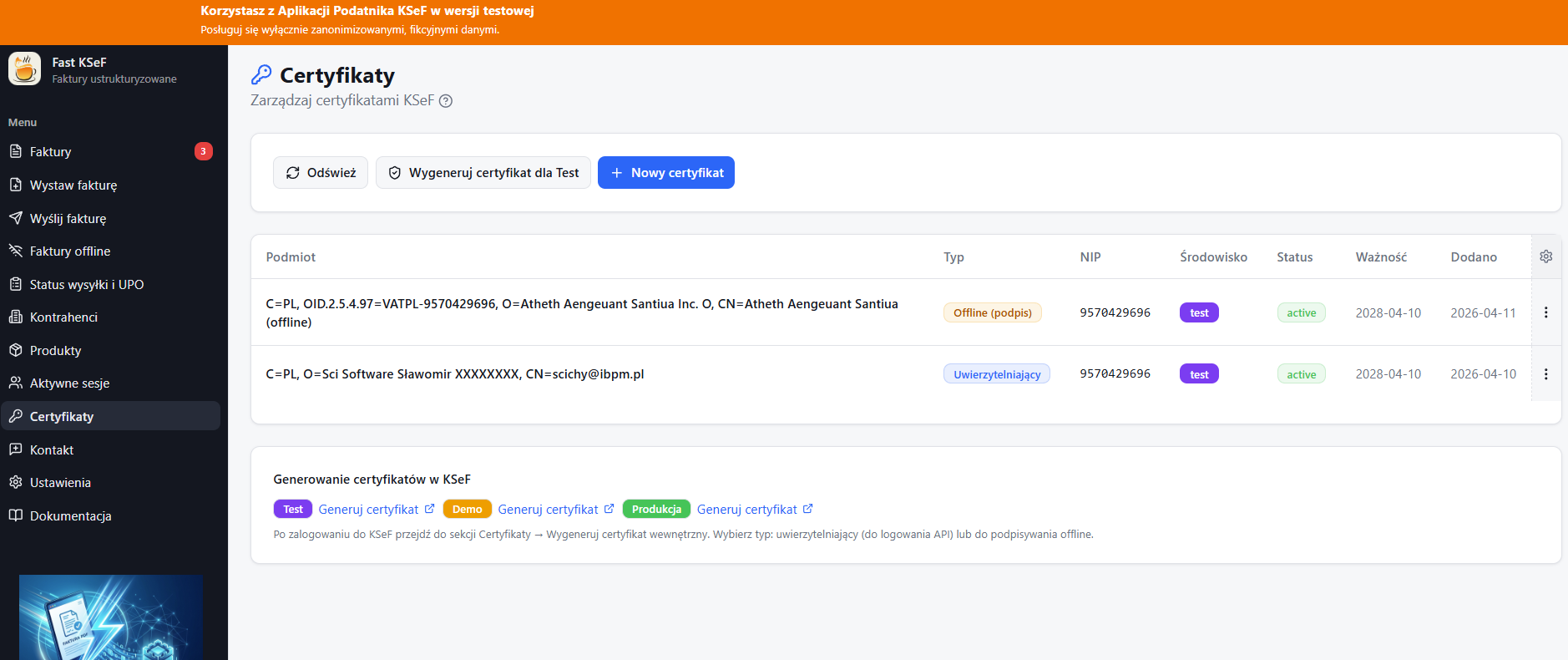
Certificate Management
In the certificates view, you can:
- 📋 View a list of saved certificates.
- ➕ Add a new certificate (authorization or signing).
- 🔄 Generate a test certificate.
- ⬇️ Download a certificate or private key.
- 🔗 Navigate to the KSeF portal (link available in the context menu).
- 🗑️ Delete a certificate.