Feedback
The Contact and Feedback module allows for direct communication with the FastKSeF team. You can share your feedback, report a bug, or suggest a new feature.
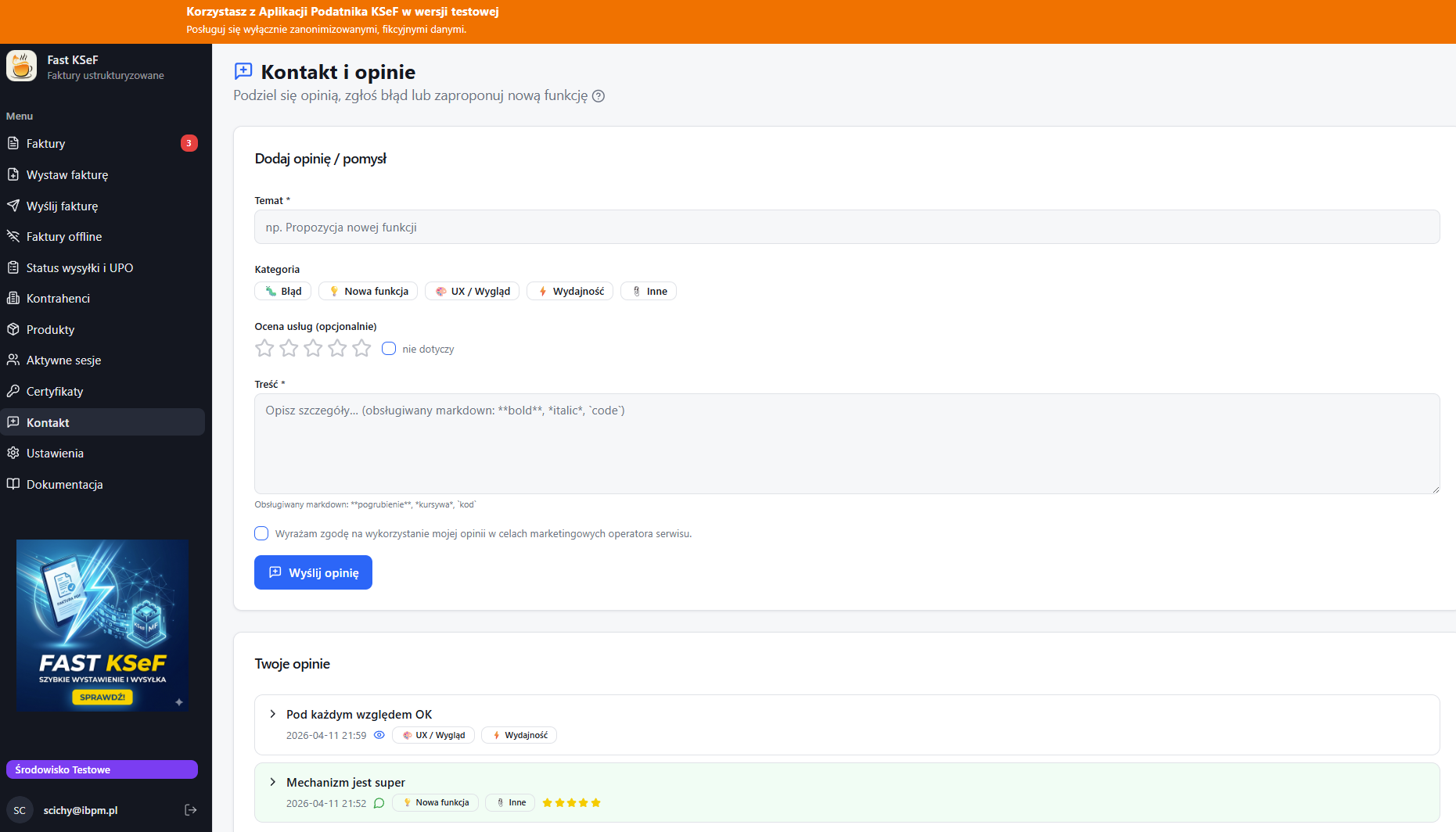
Sending Feedback
- Go to the Contact and Feedback view in the side menu.
- Fill out the form:
- Subject — a brief description of your request (required).
- Labels — select one or more categories: Bug, Feature, UX, Performance, Other.
- Rating — an optional rating on a 1–5 star scale. You can also select "N/A".
- Comment — a detailed description (required, max 5000 characters). Simple Markdown formatting is supported (
**bold**,*italic*,`code`).
- Accept the data processing consent.
- Click Send Feedback.
Daily Limit
You can send a maximum of 5 feedback entries per day.
List of Sent Feedback
Below the form, a list of your previous submissions is visible. Each entry shows:
- Date of submission.
- Read Status — an eye icon indicates whether an administrator has read the submission.
- Administrator's Response — if an administrator has replied, you will see a green background and a speech bubble icon containing the response.
Deleting Feedback
You can delete a submission that hasn't been replied to by an administrator yet — click the Delete button after expanding the details.
Security
- Content is automatically sanitized — HTML tags, scripts, and unsafe content are removed.
- The form requires you to be logged in — submissions are linked to your account.