Favorite Suppliers
The favorite contractors list is your database of regular business partners. Saved contractors are available in the invoice creator, which speeds up the issuance process.
The data below will be used to populate the buyer section in the header of issued invoices. Ensure high data quality — especially regarding the name, address, and bank account number.
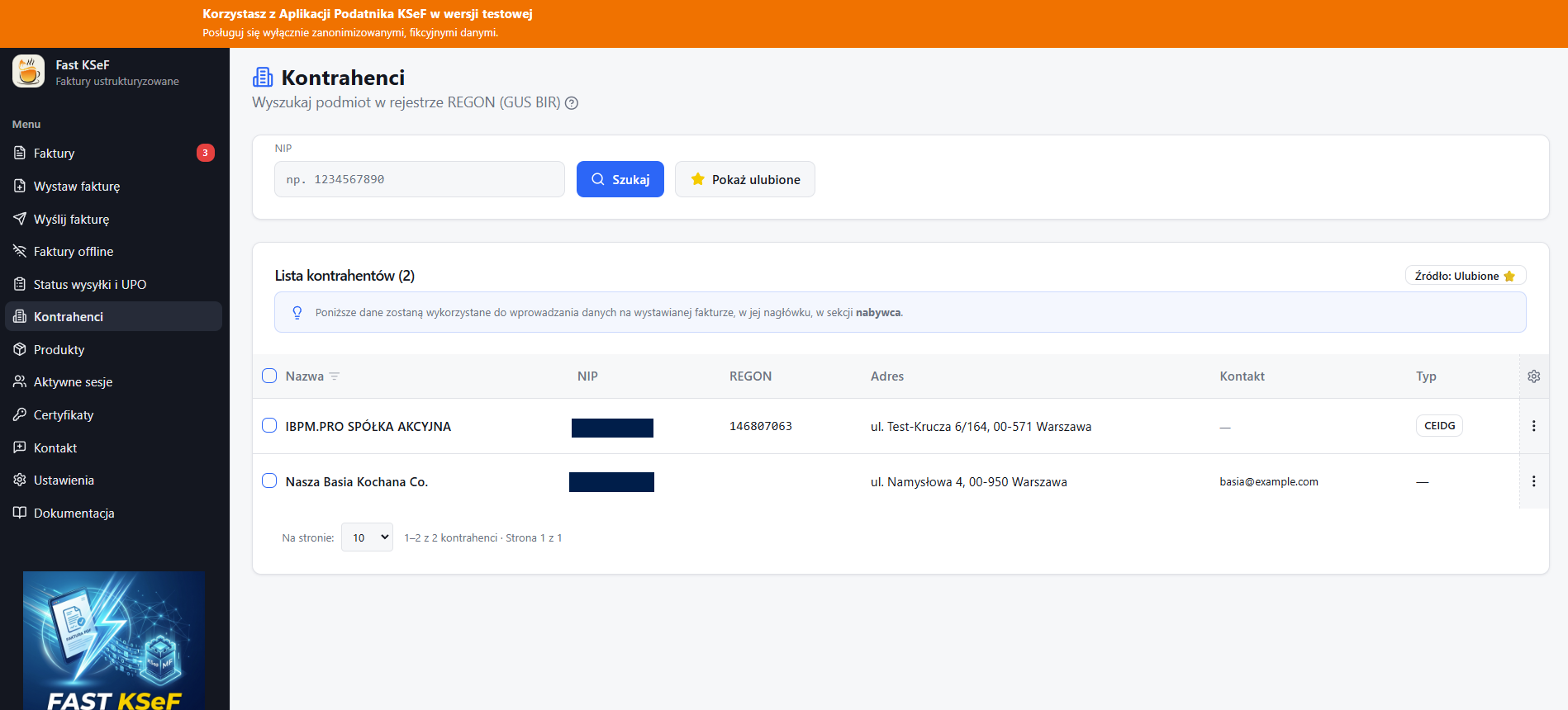
Browsing Favorites
The Contractors section by default displays a list of your favorite contractors with the following options:
- 🔍 Filtering by name or Tax ID (NIP).
- 📄 Pagination — navigating through pages.
- ✏️ Editing — changing contractor details.
- 🗑️ Deletion — removing from the favorites list (individual or bulk).
Contractor Data
The following details are stored for each favorite contractor:
| Field | Description |
|---|---|
| Tax ID (NIP) | Tax Identification Number |
| Name | Full company name |
| Address | Street, number, postal code, city |
| Email address | |
| Phone | Phone number |
| Customer No. | Internal identifier |
| Bank Account | Bank account number |
| REGON | National Business Registry number |
Usage in the Invoice Creator
In the invoice creator, at the Buyer step, you can:
- Enter the Tax ID (NIP) — if the contractor is in your favorites, the data will populate automatically.
- Select a contractor from the dropdown list.
Regularly update the data of your favorite contractors, especially bank account numbers, to avoid errors during transfers.
Filtering
Use the search field above the list to quickly find a contractor by name.
Filtering works on the currently loaded results page. If you cannot see the contractor you are looking for, check other pages or change the page size.